{{ post.date }}
{{ post.readTime }}
Construction projects involve many moving parts. Crews, subcontractors, materials, and deadlines all need to align. Without a clear construction schedule and task list, even a well-planned project can quickly fall behind.
A good schedule helps teams understand what needs to happen, when it needs to happen, and who is responsible. A task list supports daily execution by turning the schedule into clear actions on site.
A construction schedule is a timeline that organizes project activities in the correct order. It shows when each phase of work should begin and finish, which tasks depend on each other, and where critical deadlines are. For a broader overview of planning methods, dependencies, and timelines, read our guide to construction scheduling.
In construction, schedules are important because one delay often affects several following tasks. If materials arrive late or one subcontractor finishes behind plan, the entire sequence can shift.
A practical schedule gives project managers and site teams a shared overview of progress and upcoming work.
A construction task list breaks the schedule into specific work items that can be assigned and tracked. While the schedule provides the overall timeline, the task list focuses on day-to-day execution.
For example, the schedule may show interior finishing this week, while the task list defines individual tasks such as wall preparation, plastering, sanding, and inspection.
Task lists help crews understand exactly what needs to be completed and reduce misunderstandings on site.
A practical construction task list should be simple enough to use daily but detailed enough to avoid confusion.
Typical fields include:
Some teams also include priority, quantities, or related tools depending on the type of work.
The goal is to make responsibilities visible and progress easy to follow.
One of the most common problems is that the schedule exists, but nobody actually checks it during the day. An Excel file may be created in the office, but if crews do not open it regularly, tasks quickly start being managed through phone calls and messages instead.
Another common issue is that task information becomes scattered across different channels. One instruction is written in a spreadsheet, another is sent in a messaging app, and additional details are shared verbally on site. After a few days, it becomes difficult to know which information is the latest version.
Teams also lose time searching through long message threads to find what needs to be done, who is responsible, or whether something has already been completed. When task updates, photos, and comments are stored in different places, small misunderstandings can easily turn into delays.
Problems also appear when tasks are not clearly linked to the correct project, building area, or subcontractor. In projects with multiple teams working at the same time, some tasks can simply disappear from attention because they remain buried in messages, forgotten in old spreadsheets, or assigned without clear project context.
A schedule only works when the information is easy to access, clearly assigned, and kept in one place.
Many construction teams still manage tasks using paper notes, printed schedules, or Excel files. These methods can work for simple projects, but they often become difficult to manage once several crews, subcontractors, or project areas are involved.
Paper task lists are easy to use on site, but they are difficult to update and share when plans change. Excel files offer more flexibility, but they still depend on everyone opening the latest version and using the same file consistently.
In practice, task information often ends up spread across spreadsheets, messages, phone calls, and site meetings. This makes it harder to track progress, confirm what has been completed, and keep all teams aligned.
Digital task management tools help keep task information in one place. Tasks can be linked to the correct project, assigned to specific crews, updated in real time, and supported with photos or comments directly from site.
For teams that are not ready to move fully digital, a paper or Excel task list template can still provide a useful starting point for building a more structured workflow.
A digital task list also works best when combined with daily site reporting. Our daily site diary template explains how daily records help capture progress, delays, and important site events alongside task management.
With Remato, construction teams can manage task lists, daily reports, and site communication in one system, making it easier to keep information visible for both field and office teams.
For daily site documentation, it is also useful to combine task tracking with a site diary. Our daily site diary template explains how daily records support better scheduling and accountability.
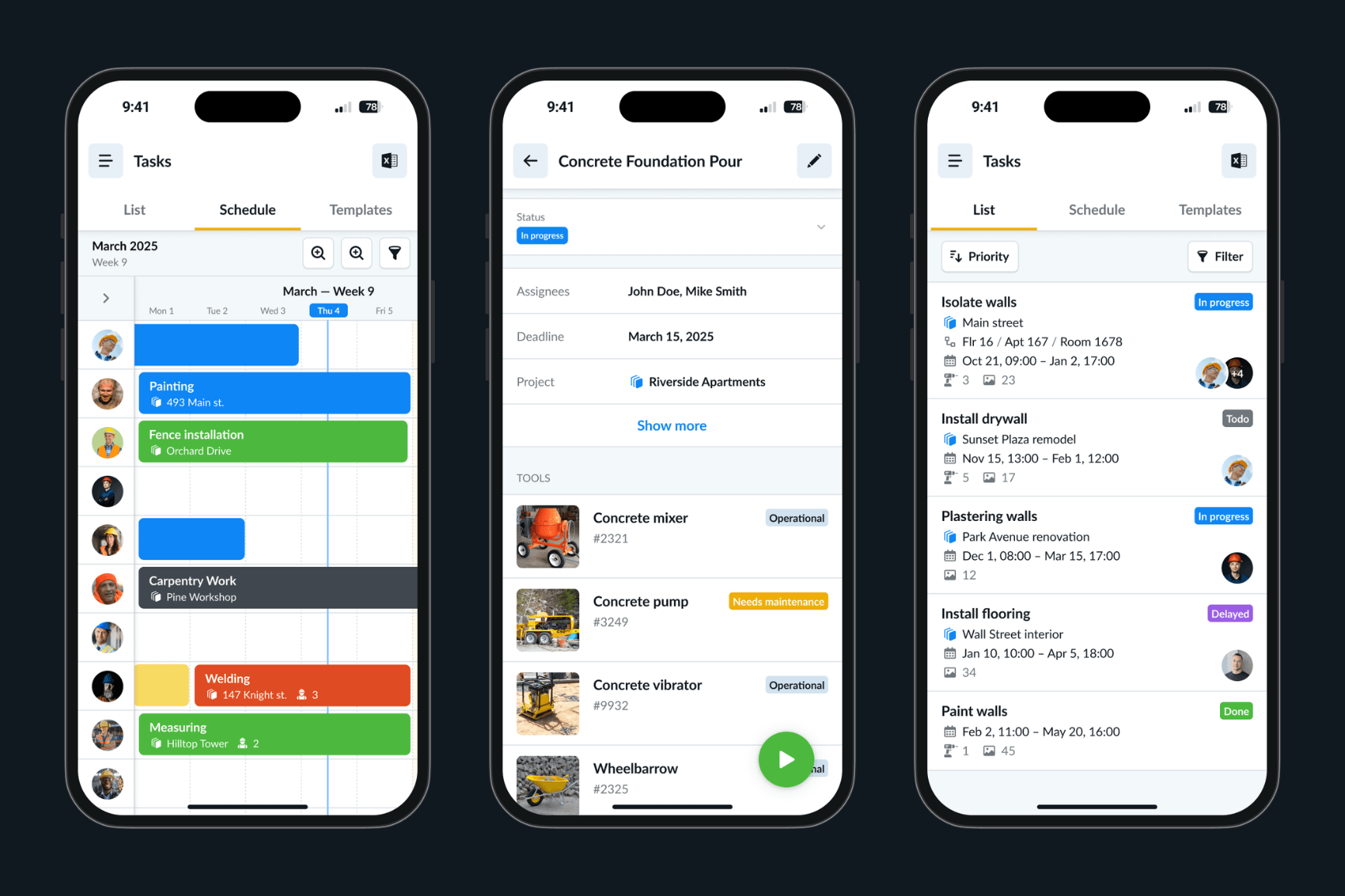
A construction schedule creates structure, but a task list turns that structure into daily action. Both are necessary to keep work coordinated and avoid delays.
The simpler the system is to use, the more likely teams will keep it updated. Whether using paper, spreadsheets, or digital tools, consistency is what makes scheduling effective.