Case Study: Improving Crew and Project Management with Remato
The company manages multiple construction projects and has tested various project management tools, including Procore, Raken, Fieldwire, FieldLens, Spybee, IBuilder, and Cloud Quality. Despite trying these platforms, they struggled to find a solution that was both powerful and easy for field staff to adopt.
They needed a comprehensive solution that could streamline both crew and project management, ensuring teams stayed coordinated and projects stayed on schedule.
Key Takeaways
Streamlined Crew & Project Management: The company sought a unified solution to enhance both field crew coordination and overall project oversight.
Challenges with Existing Tools: Despite testing platforms like Procore and Fieldwire, issues persisted in scheduling, materials management, and tool tracking.
Remato’s Impact: Adoption of Remato led to improved field staff onboarding, enhanced mobile functionality, and significant time savings in payroll and documentation.
ROI Highlights:
Payroll reconciliation time reduced from ~6 hours/week to ~45 minutes/week, saving approximately $9,625 annually.
Training time per worker decreased from 2.5 hours to 30 minutes, saving about $4,800 per onboarding cycle.
Photo documentation retrieval time cut from 15–20 minutes to under 3 minutes, potentially recovering $50,000–$100,000 in disputed work per $5M project.
Challenges
Before adopting Remato, the company faced several pain points in project control:
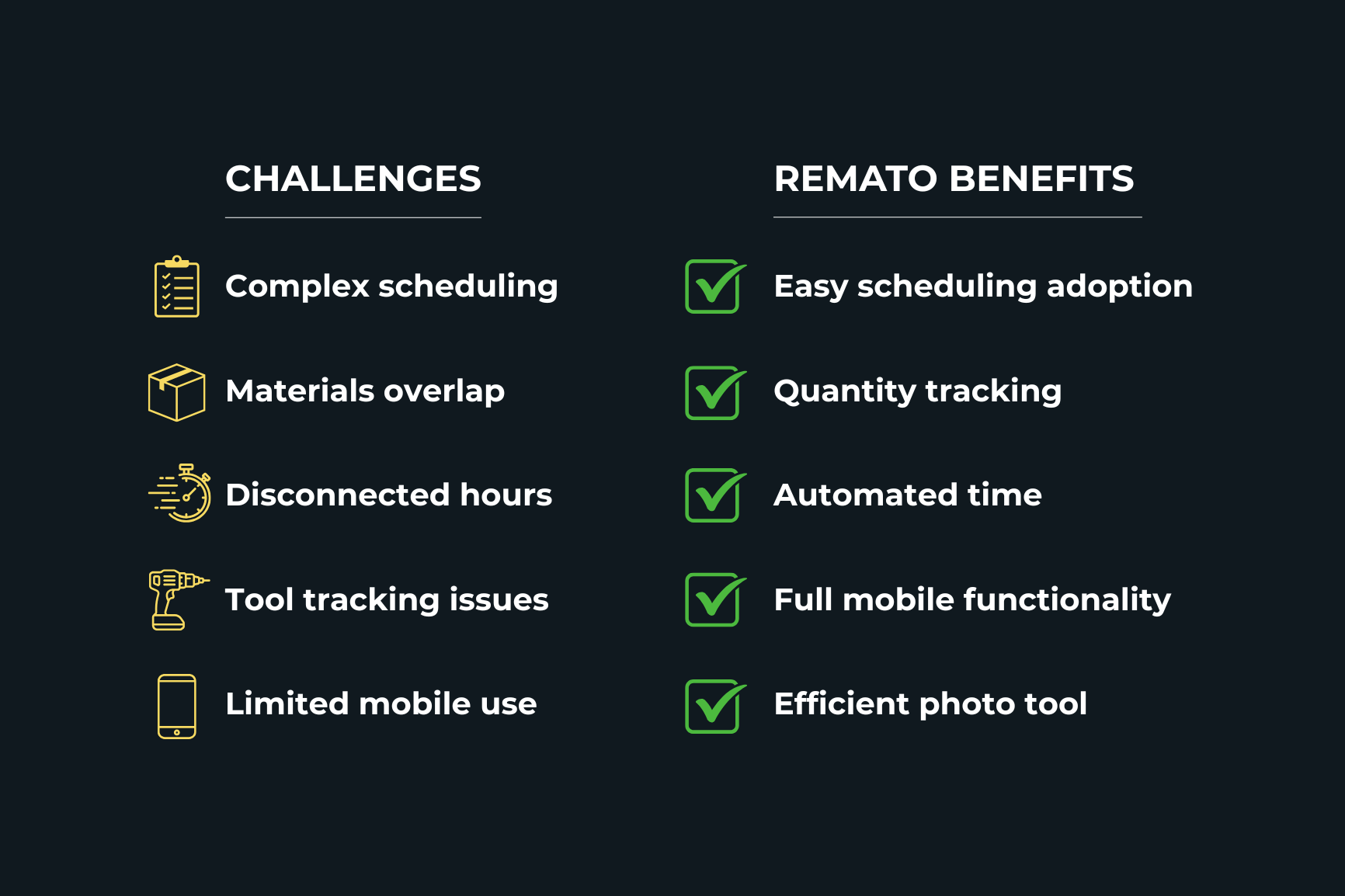
Complexity in Scheduling: The work scheduling section was difficult to update, pushing the team to test alternatives like RefinemySite and Tactplan.
Materials Management: The ERP already handled materials, making other software modules redundant.
Disconnected Quantities & Hours: Quantity tracking was tied to hours, forcing manual input when logging time. The company wanted these records to be managed independently.
Tool Tracking Limitations: Lack of an API for automatic tool entry/exit updates created inefficiencies. The payroll manager had to manually reconcile worker entry and exit, despite clock-in/clock-out data already existing in the software.
Mobile App Limitations (Other Tools): Many platforms required office-based management for certain features, limiting field efficiency.
Why Remato?
The company highlights three reasons why Remato stood out from the competition:
Ease of Use & Fast Adoption: Field staff quickly adapted to Remato due to its intuitive interface and short learning curve.
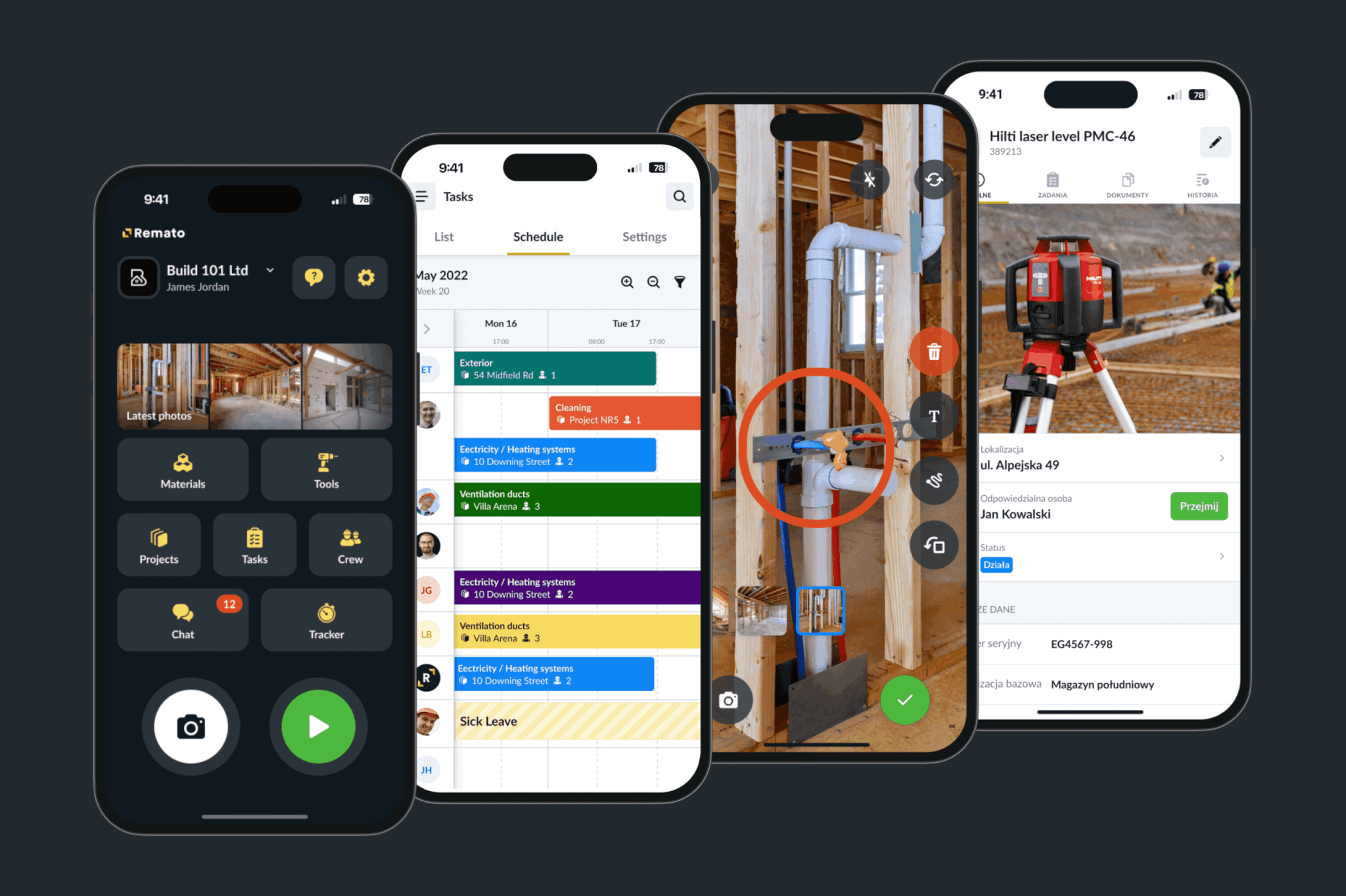
Full Mobile Functionality: Unlike competitors, Remato allowed complete project control directly from mobile devices, eliminating the need to go back to the office.
Excellent Photo Tool: The photo documentation feature became the most used tool in their daily operations, thanks to its simplicity and ease of retrieving information.
Implementation Goals
The team is rolling out Remato in stages:
Phase 1: Time Control & Tools Module Begin with time tracking to improve payroll efficiency and integrate tool usage.
Phase 2: Independent Quantity Tracking Enable tracking of executed quantities separately from hours, providing clearer insights into productivity.
Phase 3: Enhanced Scheduling Integration Continue exploring complementary scheduling tools while building Remato into their core project management process.
Results & Benefits
Improved Adoption: Field teams onboarded faster than with any previous software.
Higher Mobility: Full mobile capabilities removed office bottlenecks, allowing tasks to be executed on-site.
Operational Efficiency: Photo documentation significantly improved visibility and reduced search time for project information.
Streamlined Payroll: Time control integration reduced manual entry workload for payroll managers.
Conclusion
Remato delivered what other platforms could not: a user-friendly, mobile-first solution tailored for construction project control. By simplifying adoption, enabling full on-site functionality, and focusing on practical tools like time tracking and photo documentation, Remato became a critical part of the company’s operations.
ROI Estimates (based on industry average)
Payroll Efficiency
Before Remato: Payroll manager spent ~6 hours/week reconciling timesheets.
After Remato: Reduced to ~45 minutes/week.
Annual time saved: ~275 hours.
At $35/hour payroll admin cost: $9,625 saved annually.
Training & Onboarding
Before Remato: 2.5 hours average training per worker.
After Remato: ~30 minutes average training.
For a 50-person crew: ~120 hours saved.
At $40/hour average loaded labor rate: $4,800 saved per onboarding cycle.
Photo Documentation & Claims
Before Remato: Locating and verifying photo evidence could take 15–20 minutes per incident.
After Remato: Reduced to under 3 minutes.
Assume 5 documentation incidents per week per project: ~15 hours saved monthly.
At $50/hour project manager rate: $9,000 saved annually (per project).
Additional benefit: Faster and clearer photo documentation strengthens claims management—potentially recovering 1–2% of project value in disputed work (on a $5M project, that’s $50,000–$100,000 protected).
Accuracy in Time vs. Quantity Tracking
Before Remato: 15–20% of records mismatched.
After Remato: ~4% mismatched.
Impact: If 5% of billable quantities were previously underreported on a $2M subcontract scope, that’s $100,000 in potential billing leakage now corrected.
Frequently Asked Questions (FAQs)
1. What is construction project management software?
Construction project management software is a digital platform designed to streamline the planning, execution, and monitoring of construction projects. It facilitates better scheduling, resource allocation, budget management, and communication among project stakeholders.
2. Who benefits from using construction management software?
Professionals such as project managers, contractors, builders, engineers, and real estate developers benefit from construction management software. It’s also advantageous for anyone involved in the construction industry aiming to enhance project efficiency and communication.
3. What are the key features to look for in construction project management software?
Essential features include:
Scheduling and task management
Budget and cost control
Document management
Collaboration tools
Integration capabilities
Reporting and analytics
Mobile accessibility
These features ensure efficient project management from start to finish.
4. What should you consider when choosing construction project management software?
When selecting construction project management software, it’s crucial to prioritize features that align with your project’s specific needs. Key functionalities to consider include:
Scheduling Tools: Advanced scheduling capabilities, such as critical path analysis, help in creating accurate timelines and managing project milestones effectively.
Financial Management: Integrated financial tools for budgeting, cost tracking, and financial forecasting ensure that the project remains within budget and financial discrepancies are minimised.
Inventory and Inspection Management: Modules that allow for real-time tracking of materials and equipment, along with inspection capabilities, help in maintaining quality control and preventing delays due to material shortages.
Mobile Accessibility: Given the dynamic nature of construction sites, mobile access to the software ensures that team members can update and retrieve information on-the-go, enhancing communication and decision-making.
Integration Capabilities: The software should seamlessly integrate with other tools and systems already in use, such as ERP systems or accounting software, to ensure smooth data flow and reduce manual data entry.
User-Friendly Interface: An intuitive and easy-to-navigate interface reduces the learning curve for new users and enhances overall productivity.
Customer Support: Reliable customer support is essential for addressing any issues or challenges that may arise during the software’s implementation and usage.
By focusing on these core features, you can select a construction project management software that not only meets your current needs but also scales with your project’s growth and complexity.
5. How can construction project management software improve communication on my job site?
Construction project management software enhances job site communication by centralizing updates, alerts, and document sharing in one platform. This integration allows for messaging between team members, sending files, assigning tasks, and tracking progress in real-time, thereby reducing delays and misunderstandings. Real-time updates ensure that field workers, office staff, and stakeholders stay connected and can react promptly to changes.
Never miss a piece
Get exclusive tips, tools, and updates on managing projects, teams, and assets.