{{ post.date }}
{{ post.readTime }}
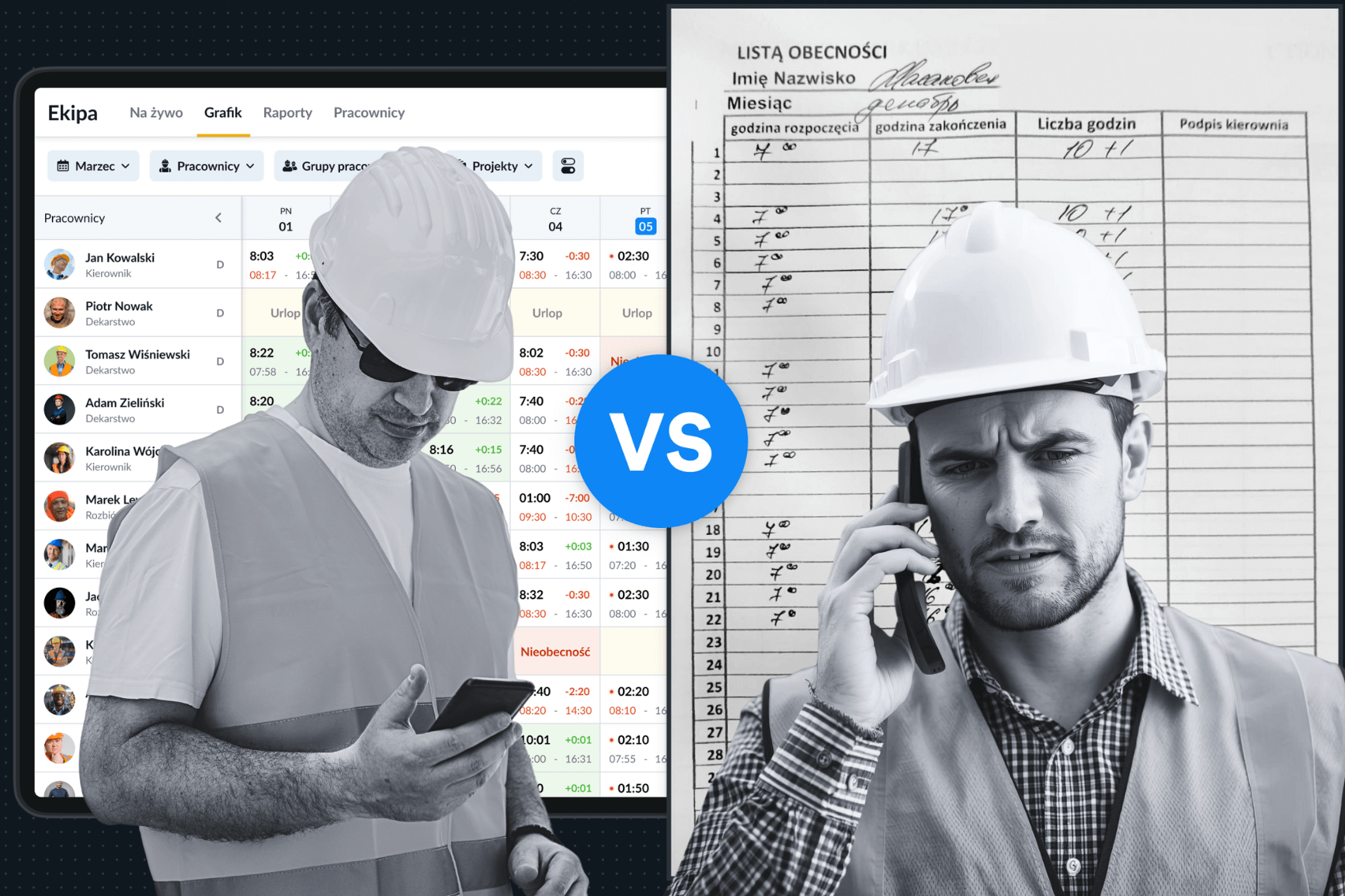
In construction, every minute earned counts. For crew supervisors, foremen and office staff alike, inefficient time-tracking, manual documentation and endless follow-up calls can cost hours every week. But what if your entire workflow – from field worker logging time to office accountant approving hours, was streamlined and real-time? That’s exactly what a modern tool like Remato offers. Using a construction time tracking app streamlines these processes and reduces administrative delays while highlighting the importance of time management in daily operations. Tools such as a construction time tracking software solution make these improvements even more accessible.
In this post we’ll explore how good systems shift your operation from reactive to proactive, remove bulk admin, and free up your crew, managers and back-office people to focus on actual construction tasks instead of paperwork. Better field worker time tracking ensures your crew’s hours and tasks are captured accurately and in real-time. This is especially critical given the importance of time management in the construction industry, where delays directly impact budgets and project outcomes.
Let’s start with a scenario familiar to many construction firms. A worker arrives for the job, uses hand-written timesheets, takes photos on a personal phone, perhaps gets a client signature on paper. Meanwhile, the office back at HQ tries to piece together who’s working where, for how long, what tasks were completed, and what comes next. Supervisors spend hours chasing up records; accountants spend days reconciling timesheets and photos; next tasks wait on hand-written notes to be scanned. Manual systems often fail to provide digital timesheets for construction, which can lead to missed hours and reporting errors.
This kind of workflow adds delays, errors and hidden labour-costs. In fact, many construction-industry studies highlight that manual tracking and paper-based documentation slow down progress and increase risk. For example, one overview of construction crew-management software states:
“Manually tracking attendance and project hours is time-consuming and error-prone.”
And
“Construction management software can make the difference when it comes to keeping projects on schedule… it eliminates the need for manual tracking systems or paper-based methods.” PlanRadar
Secondly, poor visibility from office to job means that follow-ons and hand-offs don’t happen smoothly. The next task might wait for confirmation, or the photo evidence sits idle until someone files it away. That idle time is “time lost”, showing clearly why time and task management are important for maintaining project flow. Modern tools that improve construction task management significantly reduce these gaps.
Thirdly, duplication of work is endemic: your on-job worker takes photos; later the manager asks for them again; the accountant requests timesheets; someone prints them; someone uploads them. All this adds up. A construction time tracking app can eliminate duplication by capturing time, photos, and signatures once at the source, demonstrating the value of time management when systems are well structured.
Now imagine an alternative. Your workers arrive at the worksite, they clock in using the mobile app of Remato. They take photos of the work progress. They capture client signatures (on-screen). All that data goes live into the system. Meanwhile, in the office: you see a live view of “who is doing what task, at which worksite and for how long”. You see the photos arriving. You see task completion alerts and can schedule the next activity instantly. This digital workflow not only improves coordination but also makes scheduling significantly easier. If you want to dive deeper into modern planning tools, you can also check out this helpful guide on the best scheduling software for construction, which explains how to organise tasks and avoid bottlenecks across multiple jobs.
Let’s highlight key features:
Using digital timesheets for construction within the app ensures accurate reporting and reduces admin time. These benefits reinforce the advantages of effective time management, especially in projects with tight timelines.
Concrete examples help appreciate the real-life impact. Consider a medium-sized construction crew with 50 on-job workers, supervised by 3 field managers, and backed by 2 accountants/offices admins. In scenarios like this, the importance of the time management becomes especially clear: even small inefficiencies compound quickly across a large team.
Improved field worker time tracking saves hours each week and allows managers to focus on higher-value tasks. A construction time tracking app also reduces idle time by instantly updating task completion and scheduling.
That means nearly half a standard full-workweek recovered — and available for value-adding tasks instead of admin.
Moreover, quicker hand-overs mean tasks start sooner, reducing idle time and cost of delays. The cumulative effect over a month or quarter becomes significant.
Better systems don’t just help with time and paperwork. They ripple across operations in ways that matter, especially when considering the overall importance of time management in construction project coordination.
When you know exactly who is working on which job, how many hours, and what progress/photos exist, the office has far better data. This allows you to decide: “Should we move extra crew here?” or “This task is falling behind, let’s intervene now.” Research on workforce management highlights exactly that:
“By automatically scheduling workers … you ensure continuous progress on tasks … this automation helps reduce downtime, improves project timelines.”
Field worker time tracking and real-time reports give managers the insights needed to make proactive decisions and clearly demonstrate the benefits of time tracking for operational accuracy.
Manual processes increase the chance of missing information, lost photos or mis-recorded times. And then corrections cost time. Digital capture mitigates that risk.
As one source notes:
“There are no more wasted trips to the job for management, crew, and subcontractors.” ECI Software Solutions
Taking photos, capturing signatures and enabling immediate hand-offs makes the client feel involved and reassured. When the office can immediately dispatch the next task because the previous one is complete and visible, it improves responsiveness and professionalism.
Crew and tools management overlaps. Knowing which worker is on which task, what tools have been used, what photos captured, allows more efficient resource allocation. You avoid over-staffing, you can re-assign tasks faster, and you reduce waiting time caused by missing documentation or unclear status.
As your operations grow, manual tracking becomes a bottleneck. A digital system scales: more workers, more jobs, and more documentation are handled with the same or smaller overhead. Reviews of construction-management systems emphasise that centralized and digital access improves visibility and reduces waste.
A construction time tracking app scales as your crew grows, keeping field worker time tracking consistent across sites. Here, the benefits of time tracking become even more substantial, as reliable data supports smoother multi-site coordination.
Digital timesheets for construction ensure accurate logging, even as projects increase in complexity.
Implementing a better system like Remato doesn’t mean flipping a switch overnight. Here’s a step-by-step approach to make it work smoothly, and to make sure you actually save hours every week.
Before deploying anything, clearly map your jobs (construction assignments), tasks within each job, and what evidence you need (photos, signatures, hours). Clarify roles: who logs time, who approves, who monitors progress.
Ensure workers who will use the app understand how to log time, take photos, capture signatures on-the-go. Emphasise that the mobile tool must be simple, intuitive — the least friction possible for the worker. Since the system is used daily, resistance kills adoption.
In the office, configure the live overview: worker names, job names, tasks, hours logged, photos attached, status of task completion. Enable notifications so when a task is flagged complete, the next step is triggered. With Remato you can schedule tasks & send reminders.
Rather than eliminating all paper at once, pick one job or one crew to pilot the digital workflow. For example: this week all timesheets must be logged via the mobile app; next week paper copies are de-emphasised. Transition gives confidence and catches issues early.
After a week of live use, review: how many hours did supervisors spend on chasing paperwork? How many follow-up calls were made? Did any tasks delay because documentation was missing? Use this data to quantify “hours saved”. Then repeat each week.
Once the pilot works, broaden it across all jobs and crews. Use built-in reporting to identify bottlenecks (e.g., which tasks take longest, which crews log delays). Use the insights to refine your process, re-assign resources, improve scheduling.
When transitioning to a better system like Remato, there are a few pitfalls to avoid — so your hours saved don’t disappear in implementation problems.
Many solutions on the market address construction management. But there are a few reasons why Remato deserves special consideration for crew and tools tracking, especially given the overall importance of time management in construction industry operations:
In summary: it closes the gap between job-crew and office.
If you implement this properly, here’s what you might expect after three months:
Over months, that freed time lets you add more jobs, scale your operation, or improve margins rather than being stuck in admin.
In construction, time is one of your most precious resources — and the difference between staying on schedule and falling behind often comes down to how well you manage your crew, tasks and tools. This highlights the overall importance of time management in ensuring projects run efficiently. By moving from manual, paper-based workflows to a digital platform like Remato, you transform hours of admin each week into productive time.
Furthermore, the benefits go beyond simple time savings: you improve transparency, reduce risk, enhance client experience and build an operation that scales. As the industry increasingly relies on data and mobile workflows, companies that invest in better systems today gain a competitive edge tomorrow.
If you’re ready to reclaim lost hours each week and streamline your field-to-office workflow, it’s time to consider how Remato can fit into your work. Check out the crew-management features here: Remato Crew Management and learn more about how construction software drives time-savings in general: Benefits of Construction Management Software.
The importance of time management in construction industry lies in preventing delays, reducing labour costs, and maintaining predictable workflows. When time is tracked accurately, managers can schedule crews efficiently and avoid costly overruns.
Time and task management keep projects aligned, ensure tasks start on schedule, and reduce idle time. It also helps teams avoid duplication of effort and supports better resource planning across multiple job sites.
Effective time management lowers admin workload, speeds up documentation, and reduces errors. It also improves coordination between field and office teams, helping businesses complete projects faster and more profitably.
The benefits of time tracking include accurate payroll, improved accountability, and better scheduling visibility. Real-time data helps managers spot delays early and make proactive adjustments.
The importance of managing time effectively is tied to meeting deadlines, controlling budgets, and preventing downtime. Consistent time management practices help ensure each project phase progresses smoothly without unnecessary interruptions.