{{ post.date }}
{{ post.readTime }}

From small residential remodels to multi-million-dollar commercial builds, many site managers learn something the hard way: the quality of your project management system can make or break your margins.
A good construction project management app isn’t just “nice to have.” It’s the difference between delivering a job with confidence… or constantly putting out fires. After seeing what actually works in the field, here’s our straight-shooting breakdown of what makes a construction project management solution truly effective.
Before getting into the details, here’s one fact that actually matters: a study published found that construction projects only performed better when teams actively use their construction project management software, not just buy it. (Study link) In other words, the software itself isn’t the magic alone, it’s whether it has the right tools and is practical enough for your crews to use it every day. If it isn’t built for real jobsite conditions, it gets ignored, and performance doesn’t improve. The pillars below focus on the features that genuinely make a difference on site and in the office.
Construction schedules are living, breathing things. Weather shifts. Subs cancel. Materials show up late.A solid building project management app needs to handle:
If the tool can’t keep up with how dynamic construction really is, your schedule will be outdated by lunch.
Most of the action happens in the dirt, not in an office chair. Your crews, foremen, and subcontractors must be able to:
If your field team can’t use the app with dirty hands and a cracked screen protector, it won’t get adopted, period.
Ask any construction company owner what keeps them up at night. The answer isn’t scheduling – it’s cash flow and cost creep.
A strong construction project management solution should:
We’ve seen small overruns snowball into tens of thousands in lost profit because nobody saw the problem early enough. Financial transparency is something that many don’d want to deal with, but actually really benefits.
Too many contractors lose money because someone used an outdated drawing or never saw the revised spec sheet. A good construction app should give you:
When drawings and permits live across email threads, text messages, and someone’s truck dashboard, mistakes become inevitable.
Construction success hinges on coordination. A good build jobsite app becomes the communication backbone for:
The best systems keep everyone aligned without ten phone calls, three emails, and someone saying “I never saw that.”
Every construction company has its own style. Some are highly structured, others move fast and lean. The best software adapts to you – not the other way around. You should be able to:
Construction tech shouldn’t force you into someone else’s philosophy.
A project can go sideways quickly when materials don’t arrive or change orders aren’t tracked properly. Look for tools that help with:
Great construction project management tools make procurement feel organised, not chaotic.
At the end of the day, a construction owner needs answers at a glance:
Dashboards and automated reporting save you from digging through paperwork or chasing down updates.
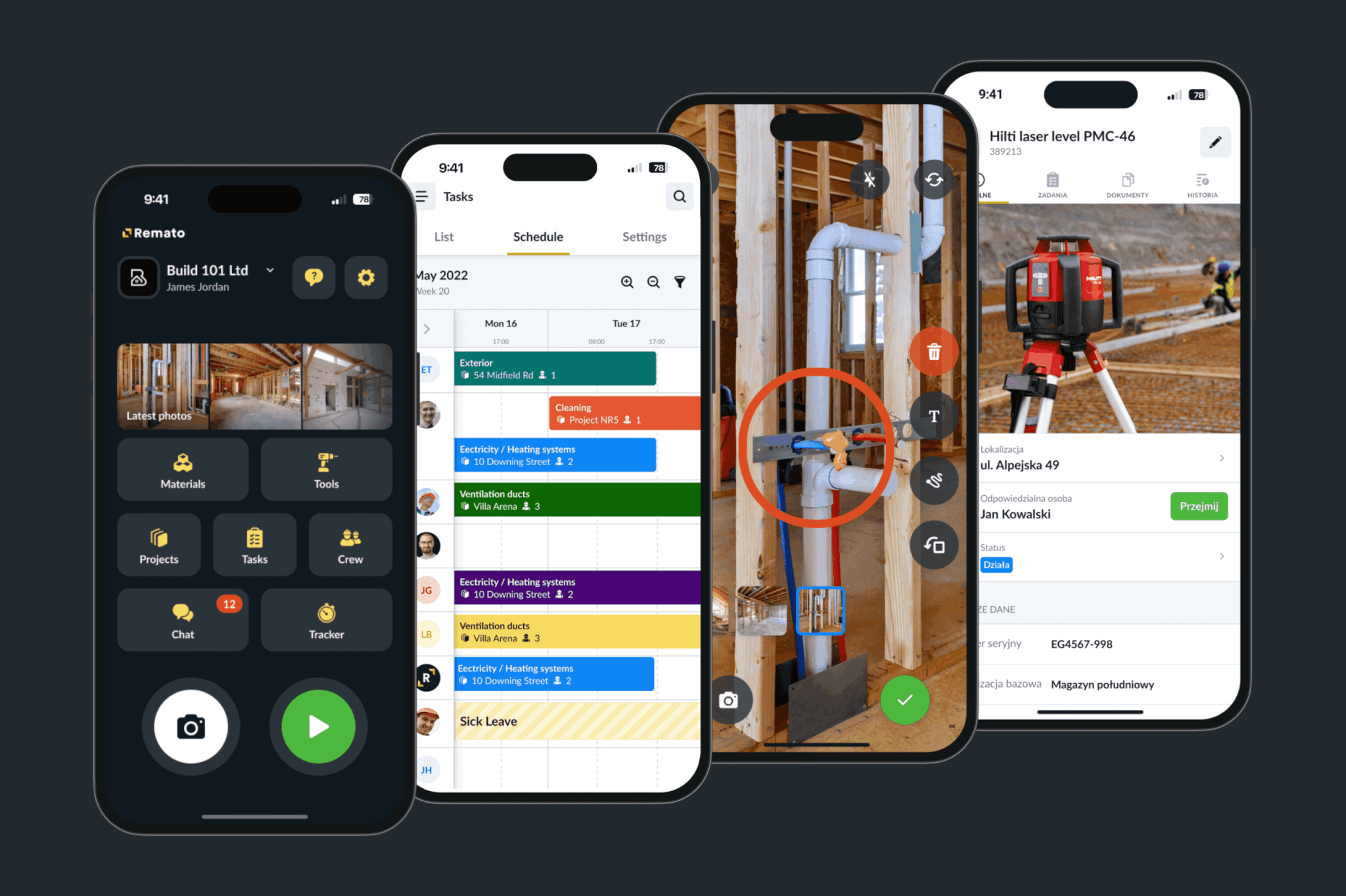
If you want to get rid of messy paper timesheets, know exactly who is on site, and keep track of tools, small equipment, and daily progress, Remato nails the basics. It streamlines the biggest headaches for construction managers: labour, tools, and accountability.
Key capabilities:
Pricing: Starts at $90/month
Free trial: Yes
Every job lives or dies by the numbers. Beam helps me keep tight control over budgets, actuals, and client-requested changes. For growing contractors, or anyone losing profit to poor tracking — this platform is a lifesaver.
Key capabilities:
Pricing:
When you’re juggling clients, selections, specs, budgets, and communications — CoConstruct keeps everything tied together. It’s built to handle the messiness of residential and custom construction.
Key capabilities:
Pricing:
From $349/month
If your work involves a lot of smaller jobs, maintenance visits, or dispatching teams all day long, Jobber keeps your schedule tight and your admin burden light. It’s not for full-scale construction builds, but it’s excellent for service-driven workflows.
Key capabilities:
Pricing: From $30/month per user
Free trial: Yes
Sitemate isn’t a full project-management suite, but it’s strong for digitising the endless paperwork that construction sites generate – toolbox talks, safety checks, inspections, permits, photos, and logs.
Key capabilities:
Pricing:
Workers: Free
Contributors / Managers: Paid licences (varies by team size)
Buildertrend is one of the best systems if your business involves frequent communication with homeowners, multiple small projects, and budgets that need to stay predictable.
Key capabilities:
Pricing:
Quote-based typically mid-range construction software pricing
When the biggest headaches come from outdated drawings, unclear tasks, or poor communication between foremen and crews, Fieldwire solves those operational problems.
Key capabilities:
Pricing:
Free tier available
Paid tiers scale with users/project size
In construction, software and apps need to help protecting your profit, reduce chaos, and giving your teams the clarity to do their best work. The right app will help you deliver projects predictably, catch problems early. eliminate miscommunication, keep contractors and subcontractors aligned, improves your margins
A bad one? It becomes another thing people ignore… until something goes wrong.
A construction manager who’s learned these lessons on live jobs under real pressure: choose tools that make life easier for your field team and your office team. That’s the real test of a good project management solution. If you get that right, everything else gets a whole lot smoother.