{{ post.date }}
{{ post.readTime }}
We’ve just made working with blueprints even more powerful. In addition to linking existing tasks, you can now create completely new tasks directly on the blueprint itself. Whether you’re reviewing plans or walking through the site, capturing actionable tasks is now quicker, easier, and always tied to the exact location where it matters.
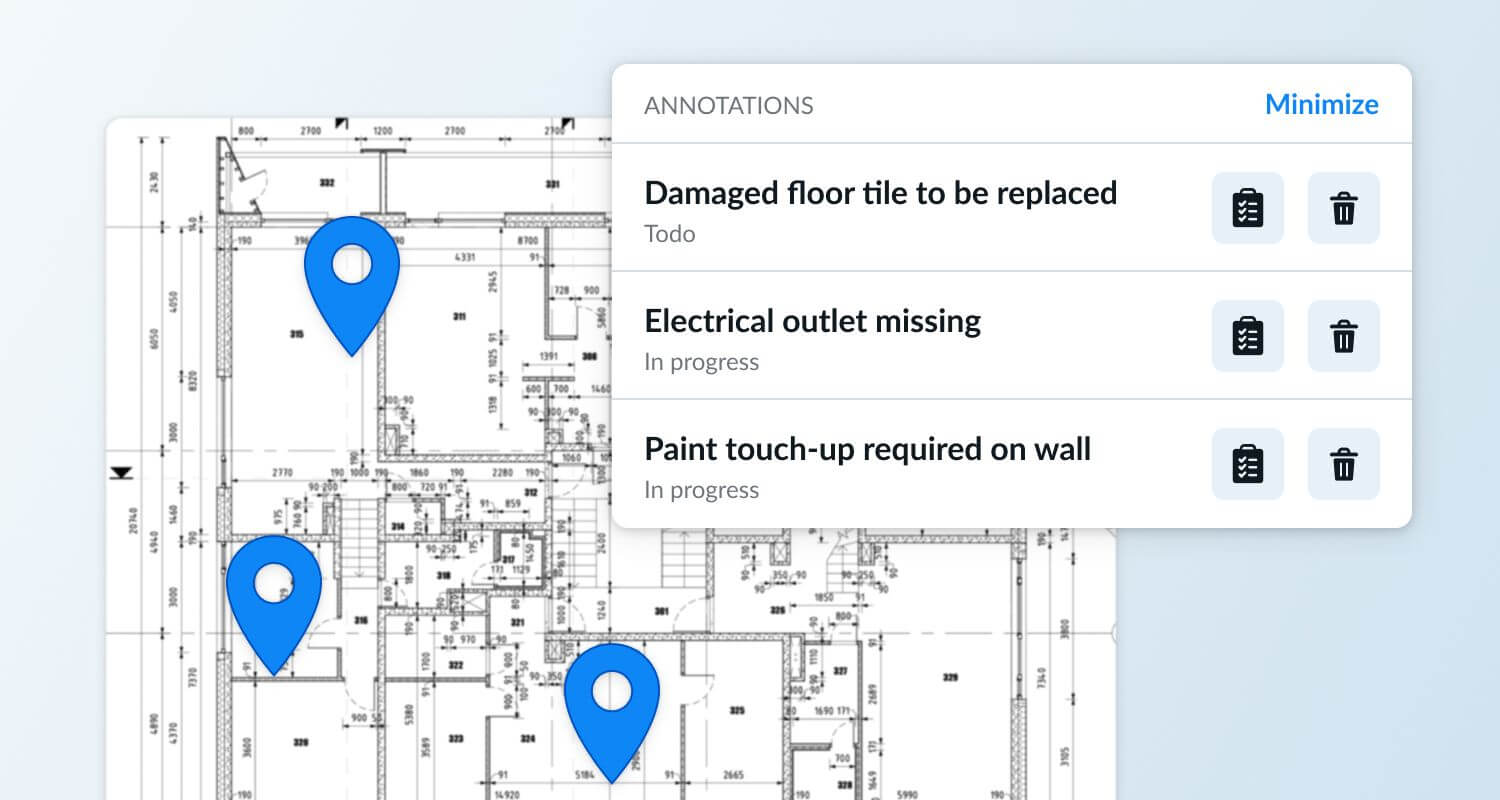
Creating new tasks directly on blueprints brings a big upgrade to daily construction workflows by making issue capture, communication, and planning more precise and efficient. Here’s why it’s beneficial:
The blueprint annotations feature is turned off by default, but we can activate it for your company anytime. If you’d like to streamline your reviews, punch lists, and field-to-office communication, simply reach out and we’ll enable it for your company.
For broader strategies on organising projects more efficiently, check out our post Construction Job Management: Complete Guide With Best Practices.
Many construction professionals say that manually marking up paper blueprints is slow, inconsistent, and often leads to miscommunication. Digital annotations let teams capture issues, tasks, and notes instantly and in context, reducing the risk of errors caused by misread or outdated drawings.
Yes. Forum discussions often highlight that even experienced crews can misinterpret architectural plans. By attaching tasks to exact blueprint locations, workers get a clear visual reference, reducing ambiguity, rework, and costly misunderstandings.
Many users look for tools that allow multiple people to annotate the same blueprint in real time. When tasks are placed directly on plans, every trade, subcontractor, or team member sees the most current version, improving coordination and eliminating confusion caused by outdated markups or paper plans.
Blueprint revisions are common, and users often worry about losing their notes. Modern tools typically maintain task locations when a new version is uploaded or allow side-by-side comparisons so teams can easily update task placements without starting over.
Absolutely. Many inspectors and project managers say that digital annotations speed up walkthroughs and punch lists because issues can be recorded the moment they’re seen. By linking them to precise blueprint locations, reporting becomes clearer, takeoffs become more accurate, and nothing gets lost in translation later.